子版面

  • This section is specifically useful for new contributors on the project

    5 主題
    15 貼文
    freddoF
    @idonthatevests Would it be useful for hosting the images that the ubports mirrors pull, or is it sort of the same situation there?
  • Discuss and solve problems with other users

    94 主題
    674 貼文
    pparentP
    https://forums.ubports.com/topic/11532/signal-ut-signal-desktop-for-ubuntu-touch
  • 157 主題
    1k 貼文
    Eric HE
    @Sentinel said in No GPS access from inside Waydroid: maybe the MIUI version I flashed might have impacted Waydroid's reliability or other things? Yes — this can significantly affect UT. The MIUI image version to use is specified in the installation guide under "2. Check the correct version of MIUI", and it looks like you used the correct one. I can't explain the unusual bugs you've reported. Did you remount the system as read-write and make any changes? Did you use apt (update/upgrade/install)? I'm fine with starting a new discussion thread.
  • USB DAC not recognized

    Unsolved usb dac driver
    5
    0 評價
    5 貼文
    803 瀏覽
    H
    Hey I tried the following: make / writable. check Vendor ID and Product ID with after you have plugged in the USB DAC : dmesg | grep Vendor for me => "New USB device found, idVendor=05ac, idProduct=110a, bcdDevice=26.50" (it is a: Apple, Inc. USB-C to 3.5mm Headphone Jack Adapter) (for another product with another Vendor and Product ID icould also get another DAC work) in cd /etc/udev/rules.d create: # USB-DAC plug in ATTRS{idVendor}=="05ac", ATTRS{idProduct}=="110a", ACTION=="add", RUN+="/usr/local/bin/load_dac_module.sh" # USB-DAC unplug ATTRS{idVendor}=="05ac", ATTRS{idProduct}=="110a", ACTION=="remove", RUN+="/usr/local/bin/unload_dac_module.sh" reload udev rules: sudo systemctl daemon-reload sudo udevadm trigger check aplay -l for me: => card 1 and Device 0 in /usr/local/bin/ create the scripts: 1. /usr/local/bin/load_dac_module.sh #!/bin/bash sleep 1 sudo -u phablet pactl --server "unix:/run/user/32011/pulse/native" load-module module-alsa-sink device=hw:1,0 /usr/local/bin/unload_dac_module.sh #!/bin/bash # search for loaded module sleep 1 USER="phablet" #USERID from phablet= "32011 PULSE_SERVER="unix:/run/user/32011/pulse/native" MODULE_ID=$(sudo -u $USER pactl --server "$PULSE_SERVER" list short modules | grep module-alsa-sink | awk '{print $1}' ) # unload PulseAudio-Module , if it was loaded before if [ -n "$MODULE_ID" ]; then # pactl unload-module $MODULE_ID sleep 1 sudo -u phablet pactl --server "unix:/run/user/32011/pulse/native" unload-module $MODULE_ID fi make the files writable: sudo chmod +x /usr/local/bin/load_dac_module.sh sudo chmod +x /usr/local/bin/unload_dac_module.sh unplug USB DAC reboot (if the USB DAC was plugged at boot it seem that the DAC does not work than.) on a FP4 it took nearly 4 sec till the sound comes from the DAC Could somebody test and verify it? PS: this helped me: https://wiki.archlinux.org/title/PulseAudio/Examples#Automatically_switch_audio_to_HDMI

  • 此主題已被刪除!

    Unsolved
    0
    0 評價
    0 貼文
    19 瀏覽
    尚無回覆
  • exporting a sound file

    Solved
    3
    0 評價
    3 貼文
    370 瀏覽
    F
    @Schlicki2808 Thanks- that worked! -Fizz
  • CANADA: settings for a fully functional UT device

    Solved canada apn data mms
    5
    2 評價
    5 貼文
    966 瀏覽
    W
    @rdl85 I was notified by email. Carrier can see what device you use, I guess? I think they only notified affected devices. My issue turned out to be device specific, not UT related. I use a Oneplus 5T, and the Telus network stopped supporting MMS on many older devices, mine included. Per Public Mobile forums, MMS wouldn't work with Android either on a Oneplus 5T, Iphone 5 and earlier, many other older Android phones. Freedom Mobile setup: Freedom has separate APNs for internet and MMS, which my phone seems to need for MMS and internet to function simultaneously. APNs loaded automatically on UT 20.04, so it all just worked right away. I had to do it manually on my device that still uses UT 16.04. Anyhow, it all works great, with standard lack of proper functionality of Group Messaging. In case needed: Internet APN: internet.freedommobile.ca MMS APN: mms.freedommobile.ca MMSC: http://mms.windmobile.ca Proxy: 74.115.197.70 Proxy Port: 8080 Note that Freedom uses other networks when outside their own coverage, with free roaming. UT has "Data Roaming" turned off by default. This must be switched on under Settings->Mobile for data to work outside the Freedom network.
  • 此主題已被刪除!

    Unsolved
    1
    0 評價
    1 貼文
    41 瀏覽
    尚無回覆
  • Forum account lockout

    已移動
    26
    1 評價
    26 貼文
    5k 瀏覽
    KyokoK
    haha, yaaaay thanks again @Keneda :raising_hands: Hopefully ive helped figure out some forum issues at the least then, ive wanted to join the forum for a long time but i've just been a bit shy, so its nice to know people are nice anyway :smiling_face_with_smiling_eyes: Hopefully the verify email / no email associated with my account issue can get resolved too once the admins take a look.
  • Mixed up messages, or messages not received... whose fault is it?

    Unsolved
    20
    0 評價
    20 貼文
    2k 瀏覽
    F
    @Keneda I never had an issue with MMS on my Nexus 5 either. But when i upgraded to my Pixel 3a, which is roughly the same time as when i changed providers, the issues started. So i have 3 potential culprits. 1: the OS (MMS was fine on Xenial, not on Focal) 2: the hardware (MMS was fine on Nexus 5, not on Pixel 3a) 3: the network (MMS fine on Virgin Canada, not on Freedom Mobile) So the first i'm considering changing is #3. -Fizz
  • 此主題已被刪除!

    Unsolved
    1
    0 評價
    1 貼文
    1 瀏覽
    尚無回覆
  • Hide.me app on Volla Phone

    Unsolved
    7
    0 評價
    7 貼文
    764 瀏覽
    KenedaK
    @AppLee said in Hide.me app on Volla Phone: My suspicion is that you're using a device that is still based on Xenial. That is mine too, reason why I mentioned and bolted "focal device", but I suspect it was not clear enough
  • How to reflash from ubuntu touch to another custom ROM

    Unsolved
    2
    0 評價
    2 貼文
    452 瀏覽
    MrT10001M
    @miloessence Switch device off. Hold home button and Volume down and press power to go into download mode. In download mode attach device to pc and run Odin. When seen in Odin, find the do not reboot and untick it. Flash the recovery (TWRP) through Odin. When complete, turn the device off. Unplug from PC. Then using the correct key combo, boot into TWRP. Sideload /e/OS from there. UT is nicer on this device.
  • Questions about Username

    已移動
    1
    0 評價
    1 貼文
    257 瀏覽
    尚無回覆
  • Not enough free space in /var/cache/apt/archives

    20
    0 評價
    20 貼文
    10k 瀏覽
    LakotaubpL
    @Ben_Ben Just adding a note that this might result in issues if you are not familiar with doing this, or make a typo. You might end up needing to reflash. Thanks to @arubislander and @moem for mentioning this.
  • Browser limits phone usability

    Unsolved
    52
    0 評價
    52 貼文
    19k 瀏覽
    J
    @arubislander I uninstalled Webber some time ago and started to use simple browser bookmarks. The reason is, that you have to add every URL ((sub-)domain) a website might use. Otherwise there's a fallback to the browser which has no passwords (cookies) stored, keeps opening new tabs etc. which is an annoying behaviour. E.g. for eBay I had more than 20 URLs. And always another one came up (hard to catch due to forwarding) and I had a fallback to Morph again. To add a new URL I had to create the Webber-Shortcut again and add every single URL... If Webber was able to reopen a shortcut with all settings made, that would be a game changer (or didn't I just see that option?). I could revive this if your suggestion works, but I'm afraid you have to tell me how to add the user agent header and which one (maybe there are options in Webber. I have to install and check first)...
  • Unable to start Lomiri on Ubuntu

    已移動
    3
    0 評價
    3 貼文
    521 瀏覽
    K
    @YamiYukiSenpai What do you see when selecting Lomiri from the lockscreen? BTW, I chose gdm so I still use the default lockscreen where I just choose Lomiri from the bottom right button.
  • problem booting Pixel 3a

    已移動
    2
    0 評價
    2 貼文
    628 瀏覽
    MrT10001M
    @clUB28 Ok, I will try and point you in the direction of sorting this out. Try this first. Open a terminal where your fastboot and adb drivers are, have the device in fastboot mode (the bootloader). The Pixel 3a has slots, slot a and slot b. In fastboot try this command: fastboot --set-active=a Then boot the device. If that fails, try: fastboot --set-active=b Then boot the device. If that fails, reinstall Android and start again. I have done the below on my Ubuntu machine as well as Windows 10 and 11. (Chrome Browser, not Chromium is required) You have to have the phone on the stated version of Android in the installer: PQ3B.190801.002 Link to this. Your bootloader has to be unlocked. Use the Android Flash Tool addon and Google Chrome to flash your device to the correct Android ROM - Choose the Flash link. It is the easiest way and clearest way if you have not done this before. Do this when installing the ROM (just before): Force flash all partitions - ticked Disable verification - ticked Disable verity - ticked It is in the menu on the Android Flash tool. This will stop the device hanging at the Google logo. Once You have installed Android and set it up, then go through the UT Installer procedure. If you are OK on the command line and you wish to try with out Chrome have the device connected in fastboot mode to the PC and download the Link ROM rather than the Flash, extract it, open a terminal in the folder and run the flash-all.sh,
  • UBports Shop - PayPal not working

    Unsolved
    9
    1
    0 評價
    9 貼文
    1k 瀏覽
    MoemM
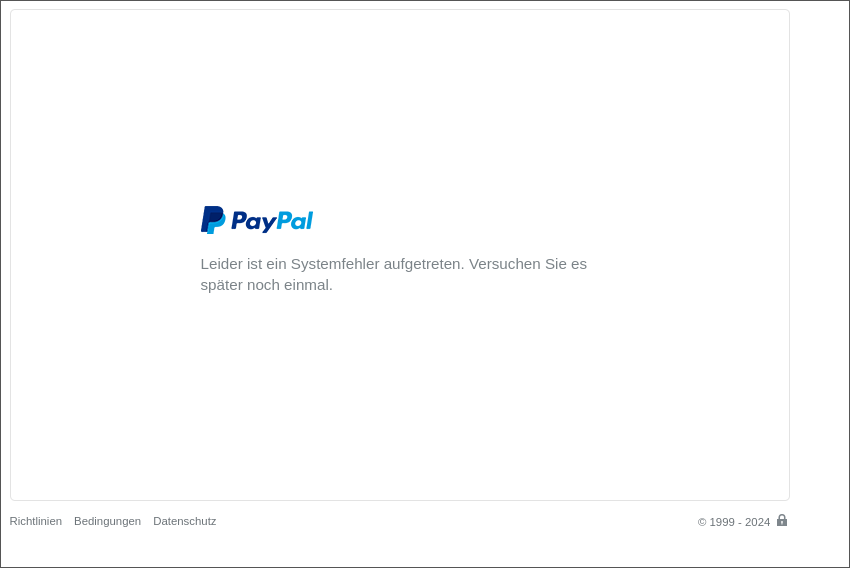
    @CatWithUT I have heard back from the person in charge of the backend of the Shop. The issue is definitely not on your end; it's caused by the Shop software being very old. It's being updated soon. In fact the migration has started and it's currently being tested. In other words, this issue should be resolved soon. Thanks for your patience!
  • How can i login to ssh server with a password ?

    Unsolved
    5
    0 評價
    5 貼文
    514 瀏覽
    B
    @AppLee thank you cp config config.bak .It's my habit
  • Does screen copy (scrcpy) for Android work with UBports?

    已移動
    7
    0 評價
    7 貼文
    1k 瀏覽
    Peter GammaP
    @arubislander Very helpful information, thanks. I still got my Pinephone with my Pinephone keyboard. You never know if someone adapts LibreOffice for the Pinephone screen in 10 years from now. But next to it I went back to an Android phone with Softmaker Office. But then will buy also a Pixel 3a as a privacy phone with Ubuntu Touch, and also to get used to a Linux phone, since I am against Google products. Scrcpy is nice for my Android phone, but I am happy to have also a solution for the Pixel 3a.
  • Need TWRP for meizu pro 5

    Unsolved
    3
    0 評價
    3 貼文
    430 瀏覽
    toddvargT
    @kuailexs Thank you
  • Syncthing on Ubuntu Touch

    37
    8 評價
    37 貼文
    11k 瀏覽
    arubislanderA
    A new version 1.27.8 has been uploaded to the OpenStore. I realize I have neglected this thread a little, but rest assured, Syncthing has been updated following the upstream project all this time. In other news, I am considering discontinuing the maintenance of the Syncthing snap. I lack the time to keep that one up to date and it has been lagging behind for some versions now. Fortunately there is a 'competing' snap: and the maintainer keeps it quite up to date with upstream. I have already moved my servers over to this snap. So this is a heads-up to anyone who might have also been using my snap. I will provide migration instructions when the decision has been finalized. [image: snap-store-black.svg]