@Sander said in Add "Tab" key to Ubuntu Touch keyboard?:
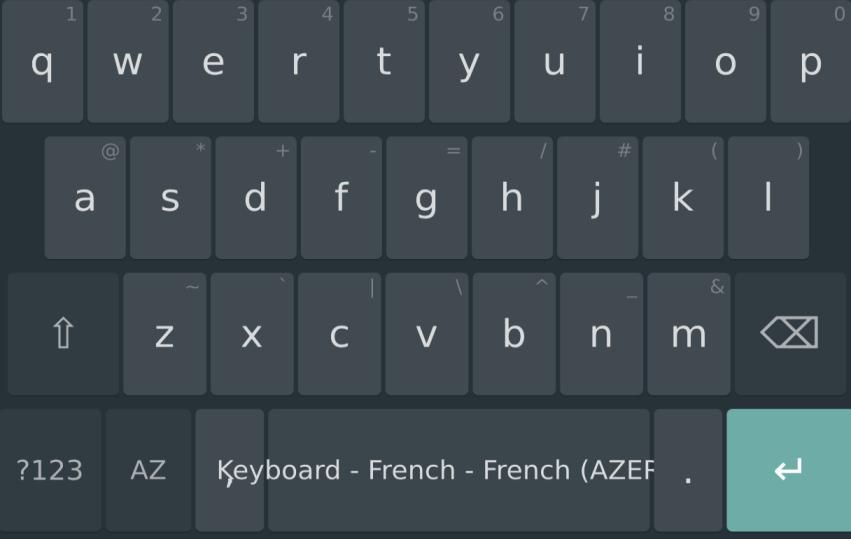
You can tap anywhere on the terminal area to mimick the behavior of the tab key
thanks for this hidden gem ! TIL
@Sander said in Add "Tab" key to Ubuntu Touch keyboard?:
You can tap anywhere on the terminal area to mimick the behavior of the tab key
thanks for this hidden gem ! TIL
Here are the videos recorded about mobile:
https://video.fosdem.org/2026/ub4132/
UT is mentioned in the videos about state of Foss on mobile and the one about the apps store: the UT one is rather well placed, however Flatpak is coming for mobile and it has already a dominant position in general Linux apps.
The video about openHarmony is intriguing given the resources of the organisations behind it.
I have been interested by the one about push notifications, apparently more ready for prime time that I was thinking. It seems that the only real solution for Linux clients is the kde one, that would seem a good fit for UT since it uses QT.
@shano said in Why is Wayland compositor and Lomiri so far in terms of functionality compared to Compiz and Unity7 released some 20 years ago?:
Compiz was released in 2006 and is still maintained. Unity7 was released in 2010 and is still maintained. My question is why Wayland and Lomiri are so far away in terms of functionality, plugins etc. compared to tech made 20 years ago.
Are we building on top or reinventing the wheel?
From what I see, Lomiri is not reinventing Unity 8, it is Unity 8.
I downloaded the Lomiri source code and counted roughly 18000 commits between 2013 and 2017 (end of Ubuntu involvement) and 1400 commits between 2018 and 2025. The main reason is probably that Unity was a business project with serious resources behind it, while Lomiri (the new name for Unity 8 since 2020) is an open source project with a few part time volunteers. Also, it may be that there was so much work in Unity that there is not a lot of new development necessary, the bulk of new work being in other parts of the full (and huge) smart phone stack. I did not count but I think that a large part of these 1400 commits are just translations.
I don't know Compiz but I tracked the project in its last hideout on Gitlab and counted about 30 commits in last 5 years, 20 of them in 2020. It's maintained in the most limited sense, there is almost no development.
Duh ! I will close this stoopid post, I had not used seriously a smartphone since several years and did not realize anymore how sensitive to location Gps services are. I tried only in 2 places in my home and both where unsuitable. When I got out in the air, Gps started to work. So it is working, really. I did a stroll this morning and it updated its position. I have still to get my hands to another brand of smartphone on Android to compare with the Fairphone 5 under UT to see how well it is working.
@Moem said in Status of the Location Service (GPS, A-GPS, GLONASS, BeiDou, Galileo) ?:
I don't know what any of that means
it's a service provided by Qualcomm
https://calyxos.org/docs/guide/security/network-activity/
See an analysis here:
TLDR: backdoor is too strong a word, but there are privacies issues. If the software is rewritten as open source, this could be less problematic.
hello, not the dev here - but the links are not broken for me. The app is supposed to be based on
https://github.com/luigi311/ConverseJS-ubports
the links are a bit strange though (why not a software forge ? if the author don't like Github, there are other such as codeberg...). It's not stated in the original repo that the author has given up. Personally I'd not use this software without more information.
@uxes said in Enabling MAC randomization:
shipped on our system by default
I am not sure that any phone is doing that by default.
It has also a downside for anyone using this phone with ssh, that is, the IP address affected by the Dhcp server (the wifi access point) will change often.
It's not a big deal but it can be annoying.
@GooglyBear said in GPS don't seem to work on FP5 UT 24.04 stable:
a GitLab issue to follow progress for Fairphone 5
AGPS is not really linked to a specific port (even if it can work on some devices it seems, but it's mostly unintended). It's tracked here
Hello
this is a little hack I have done to be able to send/receive MMS on my FP5 running 24.04.1.1 stable. Skills needed: some terminal experience, use of editor, sudo, basic networking knowledge, be able to read the system journal. If you are a total newbie in Linux, it may be better to abstain to attempt the following.
Note that if your phone supports 2 cellular links, mine does not and so I have no idea if it will work in your case.
Preliminary: find if your system behaves like mine by running the (very slow) command:
journalctl | grep lomiri-download-manager | grep TimeoutError
if you find lines looking like this:
janv. 05 18:49:27 ubuntu-phablet lomiri-download-manager[21916]: E20260105 18:49:27.165113 21916 file_download.cpp:527] Download ID{ 03d5e06553d8471085141080bcff97a1 } http://213.228.3.45/mms.php?uZmaWepeEfC3hAAmufq69A ERROR::Network error TimeoutError: the connection to the remote server timed out
then the problem is that the provider is blocking access to its network (here 213.228.3.0/24) when not accessing it from the cellular link (their own network). In this case, the following hack could apply to you.
First step: add to the system the capability to change the network manager configuration.
cat /etc/systemd/system/etc-NetworkManager-dispatcher.d.mount
[Unit]
Description=Mount unit for etc/NetworkManager/dispatcher.d
DefaultDependencies=no
Requires=system.slice dev-sda17.device -.mount
Conflicts=umount.target
Before=umount.target local-fs.target
Before=network-pre.service
Wants=network-pre.service
[Mount]
Where=/etc/NetworkManager/dispatcher.d
What=/userdata/system-data/etc/NetworkManager/dispatcher.d
Options=rw,relatime,upperdir=/userdata/system-data/etc/NetworkManager/dispatcher.d,lowerdir=/etc/NetworkManager/dispatcher.d,workdir=/userdata/system-data/tmp
Type=overlay
[Install]
WantedBy=network.target
create this file with sudo.
then:
sudo mkdir -P /userdata/system-data/etc/NetworkManager/dispatcher.d
sudo mkdir /userdata/system-data/tmp
then add in our dispatcher.d directory the file that will call our script:
cat /userdata/system-data/etc/NetworkManager/dispatcher.d/99routechange
#!/bin/sh -e
interface=$1
status=$2
#logger "99routechange: ($interface): $status"
/usr/bin/python3 /home/phablet/bat/networkchange.py $interface $status
(you will have to create the preceding file using sudo of course)
create our work directory
mkdir ~/bat
create the script that will ask to the system the network configuration when a change is detected and run the commands adding the necessary routes to the provider:
cat ~/bat/networkchange.py
import os
import subprocess
import sys
DEFAULT_ROUTE = 'default via'
if __name__ == '__main__':
interface = sys.argv[1]
status = sys.argv[2]
with open('/home/phablet/bat/status_network.txt', 'w') as f:
f.write(f'network {interface} : {status}')
with subprocess.Popen(['ip', 'route'], stdout=subprocess.PIPE, universal_newlines=True) as ipr:
lines = ipr.communicate()[0].splitlines()
lig1 = lines[0]
lig2 = lines[1]
lig3 = lines[2]
if lig1.startswith(DEFAULT_ROUTE) and lig2.startswith(DEFAULT_ROUTE) and not lig3.startswith(DEFAULT_ROUTE):
if lig1.find('wlan') != -1:
idx = lig2.find(' dev ') + 5
cellular_interface = lig2[idx:][0:lig2[idx+1:].find(' ')+1]
with open('/home/phablet/bat/cmd_to_run', 'r') as f:
lines = f.readlines()
with open('/home/phablet/bat/status_network.txt', 'w+') as flog:
for l in lines:
new_line = l.replace('{cellular_interface}', cellular_interface)
flog.write(new_line)
os.system(new_line)
then add the specific to your configuration route commands, example for my case follows:
cat /home/phablet/bat/cmd_to_run
# cellular_interface is replaced by the caller
ip route add 213.228.2.0/24 dev {cellular_interface} proto static metric 100
ip route add 213.228.3.0/24 dev {cellular_interface} proto static metric 100
# this is the address for mms.free.fr
ip route add 212.27.40.0/24 dev {cellular_interface} proto static metric 100
Please note that these IP addresses will not be correct unless you happen to use Freemobile (my provider). Otherwise, you will have to replace the IP addresses in the first lines by the specific addresses for your provider that you will find by using
journalctl | grep lomiri-download-manager | grep TimeoutError
Note that you may have to add more lines if your provider has many networks used.
Also, do NOT add addresses server by server, use network ranges (here /24 means 256 consecutive IP addresses) else you will spend your life trying to cover all the servers used by your provider. In the case of Freemobile, at the moment Free seems to use 2 /24 ranges. Maybe there are some that have escaped me.
and for mms sending, for my provider the dns name for the server is found in the cellular config, you will find the IP address by using dig:
dig mms.free.fr
(replace 'mms.free.fr' by the name of your provider mms server)
It's possible that the configuration may be different for your provider.
Note: you MUST use IP addresses, the symbolic names will NOT work; for my use here I replace mms.free.fr by 212.27.40.0/24.
It's quite possible that your provider uses also symbolic names (not raw IP addresses like Freemobie) for downloading MMS, in this case you should also find an appropriate IP range using dig like I did for uploading.
Finally, enable the whole systemd configuration.
sudo systemctl daemon-reload
sudo systemctl enable etc-NetworkManager-dispatcher.d.mount
sudo systemctl start etc-NetworkManager-dispatcher.d.mount
and you should be able to send/receive mms when wifi is activated.
I hope I did not forget anything.
Note that testing has been minimal
but the main risk is that it will not work.
The configuration resists reboots.
When this merge-request will land and be added to the stable release you use, then you will be able to disable this hack, that you will do by running
sudo systemctl stop etc-NetworkManager-dispatcher.d.mount
sudo systemctl disable etc-NetworkManager-dispatcher.d.mount
sudo rm /etc/systemd/system/etc-NetworkManager-dispatcher.d.mount
sudo systemctl daemon-reload
Until then, happy MMS with wifi enabled !
@kristatos said in Smooth Edges (name pending) - Let's Fix the Bugs That Drive You Mad:
if the input is to slow?
FIY I have noticed that disabling haptic feedback was leading to me typing faster. I don't know if it's psychological or if the buzz is really slowing the keyboard. Give it a test if you don't have disabled it yet.
a porblem we have currently with App-armour profiles, is that it won't let you communicate with the keyring in DBus via the api libsecret
is there a good reason for that ? is the API open to exploitation by a malicious client or is there some mechanism to prevent that ?
On Android, the official client uses a sandboxed storage to protect those keys, so only the app or a root user can access the keys. But as far as I know there's no such mechanisms in Ubuntu Touch for us to use.
oh thanks a lot for this remark. Finally I'm getting a glimpse of what is meant by 'our banking app can only work on secure devices'. I know that Google Play protect has other mechanisms but I did not see what could not yet be done on Linux phones.
thanks for the confirmation. It would be nice to be able to do it to confirm regressions when a new version is installed.
I comment just to point that after the back and forth about misposting, no one has given a reply to this topic.
Yet the idea of going back in time is generally interesting and as far as I know there is no doc about it.
different versions of UT, or I am not testing this the same way you are..
I use 24.04-1.2 stable. For this test it's always done before my PC keyboard with artificial light, I point the phone at the keyboard from my normal distance (about 30 cm) and the keys are blurry.
moving further back letting it focus and moving back seems to do the same thing
Tried it just now to no avail. Only the camera switch does the trick for me.
I have had the same experience with other devices
since the FP5 is my only UT device I can't say. Never seen that with an Android phone, and like I said with the very same phone on Waydroid the focus has no such problem.
Fairphone 5 is indeed snappy. It also has the most usable camera
I'm curious if you experience the same focus issue for short distance photos (<30cm) as I do. It's always blurry, and switching to camera and back to photo again corrects it.
It does not seem a hardware problem since the photo app in Waydroid focuses immediately.
copy the screenshots from your phone, and upload them here from your computer browser. It should work.
That's what I do (although I use SSH on the local Wifi network, always connecting this USB cable is cumbersome).
I dislike the huge screenshots on this forum so I use Kolourpaint to resize them by 50% before uploading.
.
It would be nice if there could be some automatic resizing involved either in the forum software itself or in the screenshotting tool.
err, because Webber links to the default browser, that is, classical Morph that is struggling just as well on its own, while the more advanced Morph QT6 goes at least beyond the blue butterfly ?