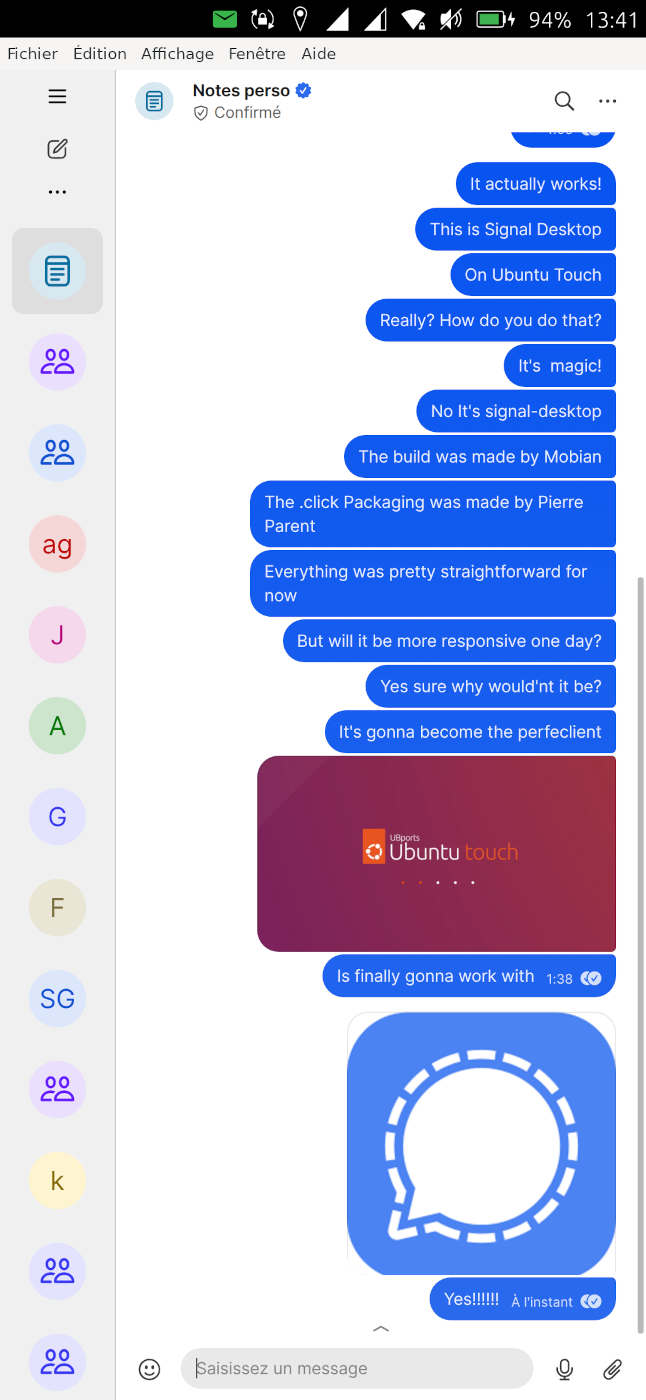
• Ubuntu Touch is granddaughter approved

    General
    3
    7 Votes
    3 Posts
    461 Views
    H
    Nice to hear Ubuntu Touch worked well for her, that is a fun way to learn the basics. You might also set up a simple contacts shortcut or favorites list so she can call family faster.
  • "Are we mainstream-ready yet?"

    Marketing Incubator
    9
    0 Votes
    9 Posts
    1k Views
    M
    Maybe the public can be divided into subgroups with different needs. Ubuntu Touch has to fulfill those needs. Newbies that are not so into terminal coding generally say Ubuntu Touch is buggy. That the text is so small overall. That the text cannot be easily adjusted. They cannot see the text! Major road block for some. The cookie nagging in Morph browser can drive somebody nuts, especially if they can't figure out how to block those cookie questions. Adblock exists in Openstore, but there may be difficulty to find a cookie question block solution. Or youtube ad blocking. Some newbies want a laptop Ubuntu Touch like a Xubuntu desktop. Few understand that literally means to work inside a Libertine container with a terminal, inside Ubuntu Touch, but still isolated from Ubuntu Touch. That they need a device with USB3, external monitor and desktop mode to get things done. Or with snaps. It is not easy to grasp how Ubuntu Touch really works inside as a newbie. Major road block. Offline GPS navigation with route planning is definitely on many newbies wishlist. If this part is too buggy it cools down emotions. Music player is there thankfully. Signal is probably one such app that has to exist on Ubuntu Touch natively and work well. There is no way around it. Communication is high priority for some and a show stopper for many if not available. Comparison: zoom does not exist for linux aarch64. Games do not focus on snapdragon chips. Result: people regret buying an arm computer because their wanted apps are not there. Same with linux distros lacking those apps people want. Others want EPUB3 in night mode with proper fonts and good rendering. Try to find any android app that can render epub3 with inline svg graphics as well as those two most used apps in Openstore. Here is the uniqueness in Ubuntu Touch. Still, the epub3 viewers have some noticeable bugs which cools emotions. Night mode flickering between pagination is one. What is downloaded most usually is most wanted by many. Many times it is games. The core apps are expected to be there but maybe do not get as much attention. Gameboy emulator is really good! No bugs there. Lets look at the app ISODrive. It really solves a big support issue. But it does not work in 24.04/daily. Creating a bootable USB-stick when your laptop needs reinstalling is a nightmare when you are travelling, right? Here you have a unique thing, but it is not working. Why not fix it? Such things make effect because they are needed and solve a real problem that arises quite frequently.
  • 0 Votes
    1 Posts
    216 Views
    No one has replied
  • Accessing network share for media

    Moved Support media player samba smb file manager nas
    9
    0 Votes
    9 Posts
    3k Views
    G
    @mango I have tried it a bit and I think it's broken
  • Welcome to UBports International!

    Pinned UBports International
    10
    13 Votes
    10 Posts
    1k Views
    pparentP
    If there is any plan to open a Spanish section, I can in Spanish as well!
  • XWayland: Menu windows resized full screen and crash?

    OS
    14
    0 Votes
    14 Posts
    1k Views
    G
    @pparent did you notice that there are menus that are displaying fine in the ChromiumUT app ? the menus in the top bar are not working, but the Google application menu is working correctly (although there is a wobble the first time, maybe it's the automatic resizing you are referring to, but it's failing to stop it to work)
  • VP22 Upgrade from 24.04-1.0 to 24.04-1.1 failed

    Moved Solved Volla Phone 22
    80
    0 Votes
    80 Posts
    4k Views
    G
    @pparent Good for you. I have tested more heavily this solution and it's promising, but I suspect that there are still a bug or two in systemd itself and I need to clear the air about it before suggesting it in a QA.
  • 0 Votes
    6 Posts
    389 Views
    J
    Logging into the forum doesn’t block shop access, but if the shop says “wrong password”, it’s usually an account sync or password issue. Try a password reset first.
  • Black screen issue

    Unsolved Porting
    5
    0 Votes
    5 Posts
    620 Views
    L
    @faveoled it disconnecting by me (because the charging cable is about to broken)
  • 1 Votes
    2 Posts
    317 Views
    A
    V0.2.0 update log Tag shortcut chips Tappable tag chips now appear below the tags field in both the add and edit forms. Chips toggle tags in/out of the field and show filled when active. A new Settings → Tag shortcuts page lets you choose which tags appear (or show all by default). Undo Undo the last Taskwarrior operation from the overflow menu on the main page. Urgency color bars Each task row now has a slim colored bar on its left edge indicating urgency: red (≥10), orange (≥6), yellow (≥3), green (≥0), gray below. Fully customizable in Settings → Urgency colors. UI changes Done button is now a compact tick icon. Delete moved into the task detail page. Browse promoted to a visible header icon.
  • Fairphone 3+ (FP3+) and UBPorts 24.04 Questions

    Fairphone 3
    5
    0 Votes
    5 Posts
    738 Views
    M
    Hello, I found out why it was not displaying the version to be installed. You have to click on "install" in order to see the version getting installed, then you select that and click "OK" to start the installation. But as a cautious person, not willing to de facto factory reset the device, I hesitated. Nowhere was it mentioned that there would be another page, where further settings could be made. I feel kind of silly for this, but at the same time it seems like an oversight in the Installer, that you cannot see how many option pages there will be before you actually commit on installing anything.
  • How to make the UI like the images attached

    Moved Support
    2
    2
    0 Votes
    2 Posts
    286 Views
    K
    That was the old UI and doesn't exists anymore. You can modify the code if you're familiar with QML/JS. Or you can download home screens app like Launcher Modular from the store but those acts like a normal app. You also can't disable the Launcher (left side bar) since it is integral to the overal design. May I know what you're trying to achieve and why the current Launcher and App drawer isn't enough?
  • How to Change Text Size On Your Device

    Locked News
    2
    0 Votes
    2 Posts
    703 Views
    M
    Not sure if the article is still valid for 24.04 noble. Tried it, didn't notice any difference. Then I discovered app UT Tweak Tool which seems more handy than typing config files. In 24.04 noble, is there any way, even programmatically, to increase or decrease the different text sizes individually, as well as increase and decrease the icon sizes separately from scaling the text(s)? The scaling in app UT Tweak Tool scales everything, causing some text in some apps not being visible if the scaling is big. The default text size is quite small. In desktop mode, it seems that the scaling is different, but if adjusted it adjusts the scaling even in non-desktop-mode. Somehow, it would be desirable to have two different text(s) and icon scalings, one for the device itself standalone, and one scaling when connected in desktop mode. Usually, there is one text size for WindowTitles, one for Documents, one for Interface, one for Monospace and then there is usually a TextScaling factor that adjusts all text sizes (fonts) without having to tinker with each one individually. Hinting and AntiAliasing is usually also part of what you can adjust.
  • How to launch LibreOffice?

    Libertine
    5
    0 Votes
    5 Posts
    367 Views
    M
    I tried to enter command in the terminal: sudo snap install libreoffice. It installed. This version of LibreOffice seems to work better than the libertine version I described above. Some dialogs end up partially outside the monitor in desktop mode, but it is indeed usable.
  • 0 Votes
    5 Posts
    807 Views
    V
    @oldbutndy Great as you say ,but , i do not code... i share your hope .
  • Oneplus n10 24.04-2.x follow up

    Oneplus Nord N10
    70
    0 Votes
    70 Posts
    5k Views
    V
    @pparent Will let you know if an upgrade fix it and pinpoint what happend. Yes , devs must know . Thanks for min browser .
  • Fairphone 5 Wifi Issues

    Solved Fairphone 5
    9
    0 Votes
    9 Posts
    672 Views
    G
    Hi Martin, sounds perhaps stupid but I have a FP4 and from time to time the same issue and switching off/on flight modus helps. Best+Good luck, Gerd
  • OpenStore Planned Downtime Feb 2nd, 2026

    General
    3
    5 Votes
    3 Posts
    613 Views
    MoemM
    @bhdouglass Thank you very much!
  • App: InTouch (native UBports Forum browser)

    App Development
    19
    5 Votes
    19 Posts
    1k Views
    MoemM
    Sweet!
  • Synchronize appointments with caldav and radicale

    Support
    9
    0 Votes
    9 Posts
    813 Views
    G
    @lduboeuf I think that I can as well note here the results of my sunday tests with Radicale and UT, it will allow me to retrieve them easily and maybe be of some usefulness to others: it works with 24.04-1.1 stable, but it can be quirky. I used a test server that has already other databases, notably an address book, and these database were proposed as options for sync with the calendar. It's already a problem since an address book is not a calendar. However it got worse since even after selecting the right database, the sync failed repeatedly until I deleted the 'wrong' databases. The server reported a 400 error on some query aimed to the address book (why oh why since I asked specifically to sync with the calendar...) and the whole sync was failed (I guess that Google Calendar has not this problem since it's just a calendar, it does not try to support all kind of Dav databases like Radicale do) This was reported by a red indicator in the UI, however the detailed journal was not particularly enlightening, it reported error codes (10400 ? I guess it was error code 400 with database number 10 - so very Unixy error reporting ) The whole testing was not made easier by the syncevolution user interface, a software that has a conception of 'user friendly' that is decidedly selecting its friends. I had to delete the offending files with 'rm' in the evolution (not syncevolution) directory via the command line to get rid of the excess databases in the UI, while they all got back when I deleted the last one (the calendar). Finally butchering my test server was the right option (and now I don't have any failing test case anymore ).