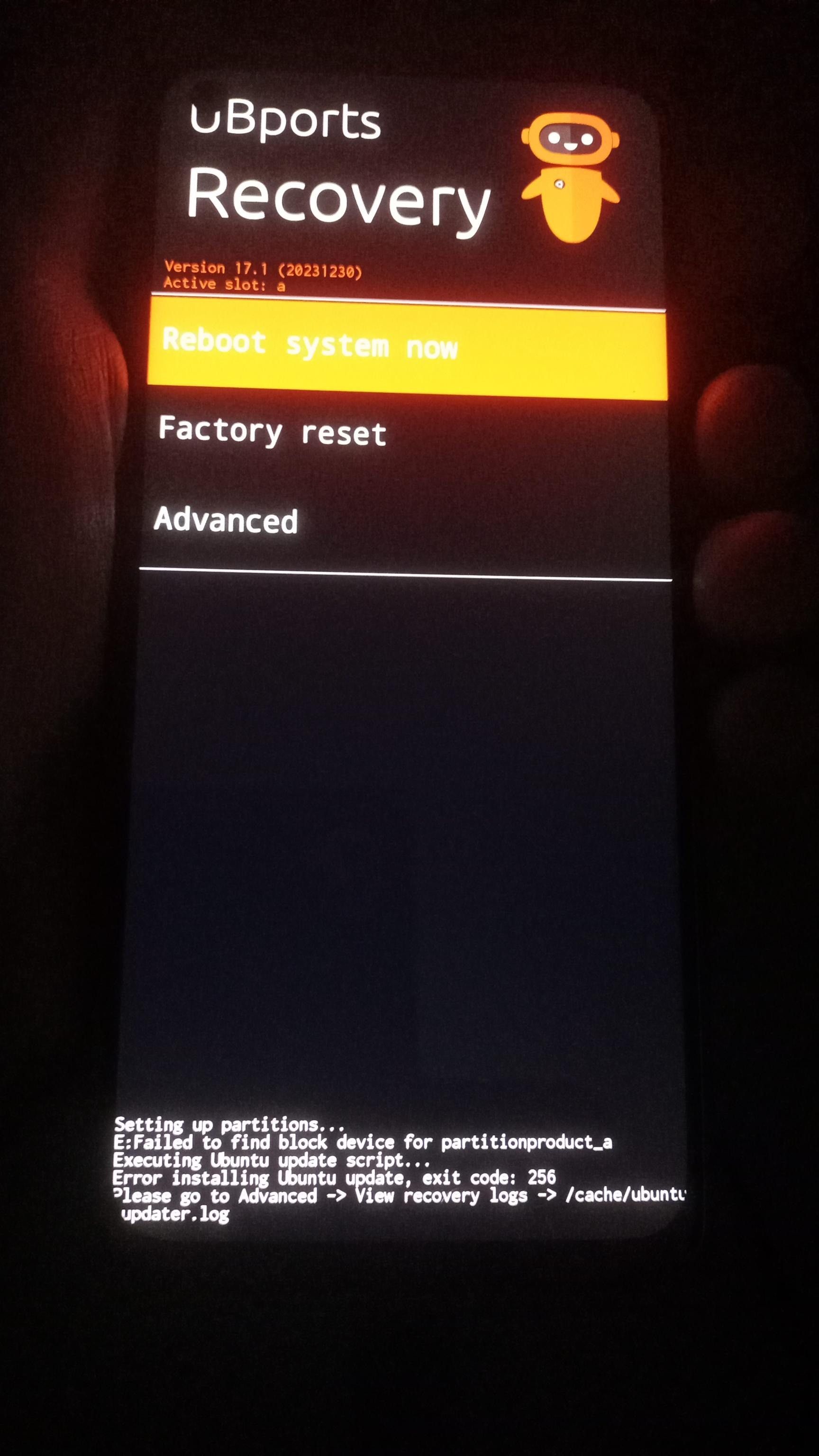
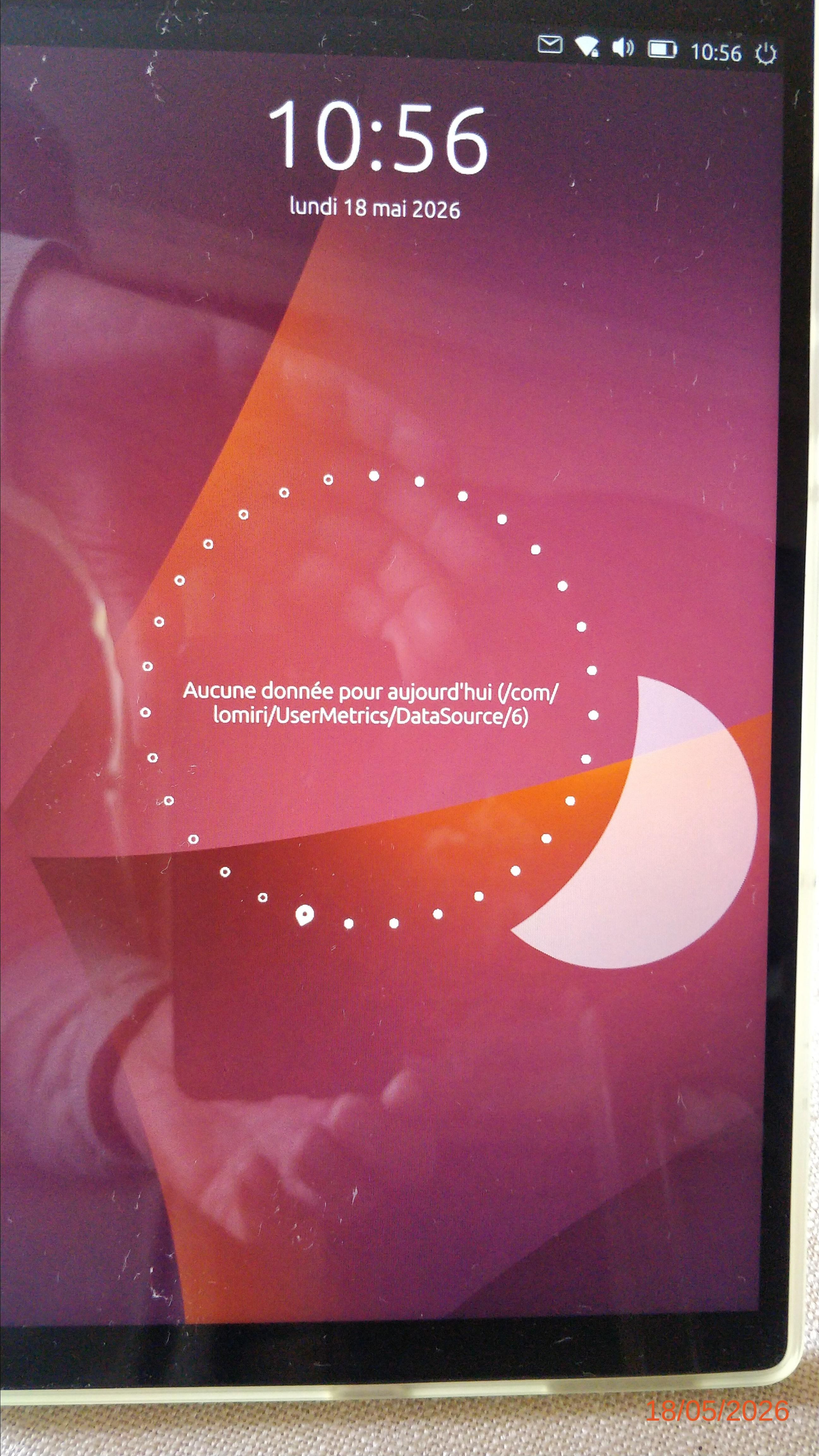
@MrT10001 even aafter trying cli no boot_BILLIE2/make_ubuntu_img_from_rootfs_and_device_tar.sh
[] BASE=/mnt/c/Users/Niki/Downloads/UBPORTS_BILLIE2
[] NATIVE=/home/niki/UBPORTS_BILLIE2_UBUNTU_IMG_BUILD
[] DEVICE_TAR=/mnt/c/Users/Niki/Downloads/UBPORTS_BILLIE2/ci_artifacts/extracted/out/device_billie2_usrmerge.tar.xz
[] IMG_SIZE_MB=3500
[] Installing/checking host tools...
[sudo] password for niki:
Hit:1 http://archive.ubuntu.com/ubuntu noble InRelease
Get:2 http://archive.ubuntu.com/ubuntu noble-updates InRelease [126 kB]
Get:3 http://security.ubuntu.com/ubuntu noble-security InRelease [126 kB]
Hit:4 http://archive.ubuntu.com/ubuntu noble-backports InRelease
Get:5 https://cli.github.com/packages stable InRelease [3917 B]
Get:6 http://security.ubuntu.com/ubuntu noble-security/main amd64 Packages [1741 kB]
Get:7 http://archive.ubuntu.com/ubuntu noble-updates/main amd64 Packages [2050 kB]
Get:8 http://security.ubuntu.com/ubuntu noble-security/main Translation-en [272 kB]
Get:9 http://security.ubuntu.com/ubuntu noble-security/universe amd64 Packages [1194 kB]
Get:10 http://security.ubuntu.com/ubuntu noble-security/universe Translation-en [231 kB]
Get:11 http://security.ubuntu.com/ubuntu noble-security/restricted amd64 Packages [3073 kB]
Get:12 http://security.ubuntu.com/ubuntu noble-security/restricted Translation-en [716 kB]
Get:13 http://security.ubuntu.com/ubuntu noble-security/multiverse Translation-en [9248 B]
Fetched 9543 kB in 5s (1914 kB/s)
Reading package lists... Done
Reading package lists... Done
Building dependency tree... Done
Reading state information... Done
e2fsprogs is already the newest version (1.47.0-2.4~exp1ubuntu4.1).
xz-utils is already the newest version (5.6.1+really5.4.5-1ubuntu0.2).
tar is already the newest version (1.35+dfsg-3build1).
tar set to manually installed.
curl is already the newest version (8.5.0-2ubuntu10.9).
ca-certificates is already the newest version (20240203).
util-linux is already the newest version (2.39.3-9ubuntu6.5).
The following package was automatically installed and is no longer required:
google-android-licenses
Use 'sudo apt autoremove' to remove it.
0 upgraded, 0 newly installed, 0 to remove and 69 not upgraded.
[] Downloading UBports focal android9plus arm64 rootfs...
% Total % Received % Xferd Average Speed Time Time Time Current
Dload Upload Total Spent Left Speed
100 705M 100 705M 0 0 4380k 0 0:02:44 0:02:44 --:--:-- 4437k
[] Rootfs:
-rw-r--r-- 1 niki niki 706M Jun 2 05:30 /home/niki/UBPORTS_BILLIE2_UBUNTU_IMG_BUILD/ubuntu-touch-android9plus-rootfs-arm64.tar.gz
913bf95878653ab8e88062c721ea60850a6e4f670ac7718a522db0e123c0f064 /home/niki/UBPORTS_BILLIE2_UBUNTU_IMG_BUILD/ubuntu-touch-android9plus-rootfs-arm64.tar.gz
[] Device tar:
-rwxrwxrwx 1 iki iki 44M Jun 2 05:22 /mnt/c/Users/Niki/Downloads/UBPORTS_BILLIE2/ci_artifacts/extracted/out/device_billie2_usrmerge.tar.xz
641a098c154621e866e7c21e7c953cec2198c4af7818bb483959023084b949d8 /mnt/c/Users/Niki/Downloads/UBPORTS_BILLIE2/ci_artifacts/extracted/out/device_billie2_usrmerge.tar.xz
[*] Creating ext4 ubuntu.img...
mke2fs 1.47.0 (5-Feb-2023)
Discarding device blocks: done
Creating filesystem with 896000 4k blocks and 224000 inodes
Filesystem UUID: 5b49494a-8615-493c-9f60-816041f5ea6f
Superblock backups stored on blocks:
32768, 98304, 163840, 229376, 294912, 819200, 884736
Allocating group tables: done
Writing inode tables: done
Creating journal (16384 blocks): done
Writing superblocks and filesystem accounting information: done
[] Mounting image; sudo required...
[] Extracting UBports rootfs into image...
[] Extracting billie2 device adaptation tar into image...
[] Basic sanity checks...
2.2G /home/niki/UBPORTS_BILLIE2_UBUNTU_IMG_BUILD/mnt
Filesystem Size Used Avail Use% Mounted on
/dev/loop0 3.3G 2.2G 993M 69% /home/niki/UBPORTS_BILLIE2_UBUNTU_IMG_BUILD/mnt
[] Syncing and unmounting...
[] Running e2fsck and minimizing filesystem...
e2fsck 1.47.0 (5-Feb-2023)
Pass 1: Checking inodes, blocks, and sizes
Pass 2: Checking directory structure
Pass 3: Checking directory connectivity
Pass 4: Checking reference counts
Pass 5: Checking group summary information
writable: 66867/224000 files (0.1% non-contiguous), 592997/896000 blocks
resize2fs 1.47.0 (5-Feb-2023)
Resizing the filesystem on /home/niki/UBPORTS_BILLIE2_UBUNTU_IMG_BUILD/ubuntu.img to 818575 (4k) blocks.
The filesystem on /home/niki/UBPORTS_BILLIE2_UBUNTU_IMG_BUILD/ubuntu.img is now 818575 (4k) blocks long.
[*] Copying ubuntu.img to Downloads staging...
[OK] Staged:
-rwxrwxrwx 1 iki iki 23M Jun 2 05:25 /mnt/c/Users/Niki/Downloads/UBPORTS_BILLIE2/boot.img
-rwxrwxrwx 1 iki iki 96M Jun 2 05:25 /mnt/c/Users/Niki/Downloads/UBPORTS_BILLIE2/recovery.img
-rwxrwxrwx 1 iki iki 3.2G Jun 2 05:40 /mnt/c/Users/Niki/Downloads/UBPORTS_BILLIE2/ubuntu.img
5fe2eceb1a96c148cf51eb834233b204f54181b36fd419c5d788bf7a01d4805b /mnt/c/Users/Niki/Downloads/UBPORTS_BILLIE2/boot.img
61b6b36eff3e64b7be38b3fd31934ecea96d2435c4fcc407c68608cdc8f01789 /mnt/c/Users/Niki/Downloads/UBPORTS_BILLIE2/recovery.img
9558f526468656665ba5182c2d3efb8f17b695dd1692b40191e80848e9f7fa0c /mnt/c/Users/Niki/Downloads/UBPORTS_BILLIE2/ubuntu.imgPS C:\Users\Niki\Downloads> powershell -ExecutionPolicy Bypass -File C:\Users\Niki\Downloads\n100_ubports_source_and_official_install.ps1 -DoIt
[2026-06-02 06:04:04] UBports billie2 source + official install
[2026-06-02 06:04:04] BaseDir=C:\Users\Niki\Downloads\UBPORTS_BILLIE2
[2026-06-02 06:04:04] RepoUrl=https://gitlab.com/ubports/porting/community-ports/android10/oneplus-nord-n100/oneplus-billie2.git
[2026-06-02 06:04:04] DoIt=True
[2026-06-02 06:04:04] FetchSource=False
=== Required image files ===
C:\Users\Niki\Downloads\UBPORTS_BILLIE2\boot.img size=23592960 sha256=5FE2ECEB1A96C148CF51EB834233B204F54181B36FD419C5D788BF7A01D4805B
C:\Users\Niki\Downloads\UBPORTS_BILLIE2\recovery.img size=100663296 sha256=61B6B36EFF3E64B7BE38B3FD31934ECEA96D2435C4FCC407C68608CDC8F01789
C:\Users\Niki\Downloads\UBPORTS_BILLIE2\ubuntu.img size=3352883200 sha256=9558F526468656665BA5182C2D3EFB8F17B695DD1692B40191E80848E9F7FA0C
=== Current fastboot state ===
8830cb4e fastboot
fastboot.exe : product: bengal
At C:\Users\Niki\Downloads\n100_ubports_source_and_official_install.ps1:164 char:1
& $Fastboot getvar product 2>&1 | Tee-Object -FilePath $Log -Append
+ CategoryInfo : NotSpecified: (product: bengal:String) [], RemoteException
+ FullyQualifiedErrorId : NativeCommandError
Finished. Total time: 0.002s
fastboot.exe : unlocked: yes
At C:\Users\Niki\Downloads\n100_ubports_source_and_official_install.ps1:165 char:1
& $Fastboot getvar unlocked 2>&1 | Tee-Object -FilePath $Log -Append
+ CategoryInfo : NotSpecified: (unlocked: yes:String) [], RemoteException
+ FullyQualifiedErrorId : NativeCommandError
Finished. Total time: 0.001s
fastboot.exe : current-slot: a
At C:\Users\Niki\Downloads\n100_ubports_source_and_official_install.ps1:166 char:1
& $Fastboot getvar current-slot 2>&1 | Tee-Object -FilePath $Log -App ...
+ CategoryInfo : NotSpecified: (current-slot: a:String) [], RemoteException
+ FullyQualifiedErrorId : NativeCommandError
Finished. Total time: 0.002s
fastboot.exe : is-userspace: no
At C:\Users\Niki\Downloads\n100_ubports_source_and_official_install.ps1:167 char:1
& $Fastboot getvar is-userspace 2>&1 | Tee-Object -FilePath $Log -App ...
+ CategoryInfo : NotSpecified: (is-userspace: no:String) [], RemoteException
+ FullyQualifiedErrorId : NativeCommandError
Finished. Total time: 0.012s
[2026-06-02 06:04:46] fastboot flash boot C:\Users\Niki\Downloads\UBPORTS_BILLIE2\boot.img
fastboot.exe : Sending 'boot_a' (23040 KB) OKAY [ 0.515s]
At C:\Users\Niki\Downloads\n100_ubports_source_and_official_install.ps1:38 char:9
& $Fastboot @Args 2>&1 | Tee-Object -FilePath $Log -Append
~~~~~~~~~~~~~~~~~~~~~~
CategoryInfo : NotSpecified: (Sending 'boot_a...OKAY [ 0.515s]:String) [], RemoteException
FullyQualifiedErrorId : NativeCommandError
Writing 'boot_a' OKAY [ 0.099s]
Finished. Total time: 0.689s
[2026-06-02 06:04:46] fastboot flash recovery C:\Users\Niki\Downloads\UBPORTS_BILLIE2\recovery.img
fastboot.exe : Sending 'recovery' (98304 KB) OKAY [ 2.191s]
At C:\Users\Niki\Downloads\n100_ubports_source_and_official_install.ps1:38 char:9
& $Fastboot @Args 2>&1 | Tee-Object -FilePath $Log -Append
~~~~~~~~~~~~~~~~~~~~~~
CategoryInfo : NotSpecified: (Sending 'recove...OKAY [ 2.191s]:String) [], RemoteException
FullyQualifiedErrorId : NativeCommandError
Writing 'recovery' OKAY [ 0.389s]
Finished. Total time: 2.597s
[2026-06-02 06:04:49] fastboot reboot fastboot
fastboot.exe : Rebooting into fastboot OKAY [ 0.002s]
At C:\Users\Niki\Downloads\n100_ubports_source_and_official_install.ps1:38 char:9
& $Fastboot @Args 2>&1 | Tee-Object -FilePath $Log -Append
~~~~~~~~~~~~~~~~~~~~~~
CategoryInfo : NotSpecified: (Rebooting into ...OKAY [ 0.002s]:String) [], RemoteException
FullyQualifiedErrorId : NativeCommandError
< waiting for any device >
Finished. Total time: 24.188s
=== Fastbootd check ===
8830cb4e fastboot
fastboot.exe : is-userspace: yes
At C:\Users\Niki\Downloads\n100_ubports_source_and_official_install.ps1:184 char:1
& $Fastboot getvar is-userspace 2>&1 | Tee-Object -FilePath $Log -App ...
+ CategoryInfo : NotSpecified: (is-userspace: yes:String) [], RemoteException
+ FullyQualifiedErrorId : NativeCommandError
Finished. Total time: 0.001s
fastboot.exe : current-slot:
At C:\Users\Niki\Downloads\n100_ubports_source_and_official_install.ps1:185 char:1
& $Fastboot getvar current-slot 2>&1 | Tee-Object -FilePath $Log -App ...
+ CategoryInfo : NotSpecified: (current-slot: :String) [], RemoteException
+ FullyQualifiedErrorId : NativeCommandError
Finished. Total time: 0.001s
[2026-06-02 06:05:21] fastboot format:ext4 userdata
fastboot.exe : Warning: userdata type is raw, but ext4 was requested for formatting.
At C:\Users\Niki\Downloads\n100_ubports_source_and_official_install.ps1:38 char:9
& $Fastboot @Args 2>&1 | Tee-Object -FilePath $Log -Append
~~~~~~~~~~~~~~~~~~~~~~
CategoryInfo : NotSpecified: (Warning: userda...for formatting.:String) [], RemoteException
FullyQualifiedErrorId : NativeCommandError
mke2fs 1.47.2 (1-Jan-2025)
Creating filesystem with 11734099 4k blocks and 2935184 inodes
Filesystem UUID: 91726b98-5e6a-11f1-8e90-910ef116fe76
Superblock backups stored on blocks:
32768, 98304, 163840, 229376, 294912, 819200, 884736, 1605632, 2654208,
4096000, 7962624, 11239424
Allocating group tables: done
Writing inode tables: done
Creating journal (65536 blocks): done
Writing superblocks and filesystem accounting information: done
libc++abi: terminating due to uncaught exception of type std::out_of_range: basic_string
[2026-06-02 06:05:28] fastboot delete-logical-partition system_ext_a
fastboot.exe : Deleting 'system_ext_a' OKAY [ 0.009s]
At C:\Users\Niki\Downloads\n100_ubports_source_and_official_install.ps1:38 char:9
& $Fastboot @Args 2>&1 | Tee-Object -FilePath $Log -Append
~~~~~~~~~~~~~~~~~~~~~~
CategoryInfo : NotSpecified: (Deleting 'syste...OKAY [ 0.009s]:String) [], RemoteException
FullyQualifiedErrorId : NativeCommandError
Finished. Total time: 0.010s
[2026-06-02 06:05:28] fastboot delete-logical-partition system_ext_b
fastboot.exe : Deleting 'system_ext_b' OKAY [ 0.009s]
At C:\Users\Niki\Downloads\n100_ubports_source_and_official_install.ps1:38 char:9
& $Fastboot @Args 2>&1 | Tee-Object -FilePath $Log -Append
~~~~~~~~~~~~~~~~~~~~~~
CategoryInfo : NotSpecified: (Deleting 'syste...OKAY [ 0.009s]:String) [], RemoteException
FullyQualifiedErrorId : NativeCommandError
Finished. Total time: 0.010s
[2026-06-02 06:05:28] fastboot delete-logical-partition product_a
fastboot.exe : Deleting 'product_a' OKAY [ 0.009s]
At C:\Users\Niki\Downloads\n100_ubports_source_and_official_install.ps1:38 char:9
& $Fastboot @Args 2>&1 | Tee-Object -FilePath $Log -Append
~~~~~~~~~~~~~~~~~~~~~~
CategoryInfo : NotSpecified: (Deleting 'produ...OKAY [ 0.009s]:String) [], RemoteException
FullyQualifiedErrorId : NativeCommandError
Finished. Total time: 0.010s
[2026-06-02 06:05:28] fastboot delete-logical-partition product_b
fastboot.exe : Deleting 'product_b' OKAY [ 0.009s]
At C:\Users\Niki\Downloads\n100_ubports_source_and_official_install.ps1:38 char:9
& $Fastboot @Args 2>&1 | Tee-Object -FilePath $Log -Append
~~~~~~~~~~~~~~~~~~~~~~
CategoryInfo : NotSpecified: (Deleting 'produ...OKAY [ 0.009s]:String) [], RemoteException
FullyQualifiedErrorId : NativeCommandError
Finished. Total time: 0.009s
[2026-06-02 06:05:28] fastboot delete-logical-partition system_b
fastboot.exe : Deleting 'system_b' OKAY [ 0.009s]
At C:\Users\Niki\Downloads\n100_ubports_source_and_official_install.ps1:38 char:9
& $Fastboot @Args 2>&1 | Tee-Object -FilePath $Log -Append
~~~~~~~~~~~~~~~~~~~~~~
CategoryInfo : NotSpecified: (Deleting 'syste...OKAY [ 0.009s]:String) [], RemoteException
FullyQualifiedErrorId : NativeCommandError
Finished. Total time: 0.009s
[2026-06-02 06:05:28] fastboot delete-logical-partition vendor_b
fastboot.exe : Deleting 'vendor_b' OKAY [ 0.009s]
At C:\Users\Niki\Downloads\n100_ubports_source_and_official_install.ps1:38 char:9
& $Fastboot @Args 2>&1 | Tee-Object -FilePath $Log -Append
~~~~~~~~~~~~~~~~~~~~~~
CategoryInfo : NotSpecified: (Deleting 'vendo...OKAY [ 0.009s]:String) [], RemoteException
FullyQualifiedErrorId : NativeCommandError
Finished. Total time: 0.009s
[2026-06-02 06:05:28] fastboot delete-logical-partition odm_b
fastboot.exe : Deleting 'odm_b' OKAY [ 0.009s]
At C:\Users\Niki\Downloads\n100_ubports_source_and_official_install.ps1:38 char:9
& $Fastboot @Args 2>&1 | Tee-Object -FilePath $Log -Append
~~~~~~~~~~~~~~~~~~~~~~
CategoryInfo : NotSpecified: (Deleting 'odm_b...OKAY [ 0.009s]:String) [], RemoteException
FullyQualifiedErrorId : NativeCommandError
Finished. Total time: 0.009s
[2026-06-02 06:05:28] fastboot resize-logical-partition system_a 3221225472
fastboot.exe : Resizing 'system_a' OKAY [ 0.006s]
At C:\Users\Niki\Downloads\n100_ubports_source_and_official_install.ps1:38 char:9
& $Fastboot @Args 2>&1 | Tee-Object -FilePath $Log -Append
~~~~~~~~~~~~~~~~~~~~~~
CategoryInfo : NotSpecified: (Resizing 'syste...OKAY [ 0.006s]:String) [], RemoteException
FullyQualifiedErrorId : NativeCommandError
Finished. Total time: 0.013s
[2026-06-02 06:05:28] fastboot flash system_a C:\Users\Niki\Downloads\UBPORTS_BILLIE2\ubuntu.img
fastboot.exe : Resizing 'system_a' OKAY [ 0.005s]
At C:\Users\Niki\Downloads\n100_ubports_source_and_official_install.ps1:38 char:9
& $Fastboot @Args 2>&1 | Tee-Object -FilePath $Log -Append
~~~~~~~~~~~~~~~~~~~~~~
CategoryInfo : NotSpecified: (Resizing 'syste...OKAY [ 0.005s]:String) [], RemoteException
FullyQualifiedErrorId : NativeCommandError
Invalid sparse file format at header magic
Sending sparse 'system_a' 1/5 (505568 KB) OKAY [ 22.317s]
Writing 'system_a' OKAY [ 2.925s]
Sending sparse 'system_a' 2/5 (480517 KB) OKAY [ 29.105s]
Writing 'system_a' OKAY [ 2.721s]
Sending sparse 'system_a' 3/5 (522719 KB) OKAY [ 35.507s]
Writing 'system_a' OKAY [ 2.891s]
Sending sparse 'system_a' 4/5 (519853 KB) OKAY [ 26.734s]
Writing 'system_a' OKAY [ 3.462s]
Sending sparse 'system_a' 5/5 (203573 KB) OKAY [ 7.542s]
Writing 'system_a' OKAY [ 5.065s]
Finished. Total time: 169.841s