Subcategories

  • Subforum for Asus devices

    8 Topics
    56 Posts
    MrT10001M
    @MadDino Check here. Download the unlock.rar file (link still works). You don't need to root the device for UT. Follow these instructions and you need a Windows PC: *DATA WILL BE WIPED SO MAKE A BACKUP Download this zip(you already have) and you'll get 2 folders 'unlock' and drivers https://drive.google.com/open?id=1YpezCedaRWGDS9WW7UaXXyyBod0Bk5qp Install the drivers and go the 'unlock' folder Reboot your phone to fastboot mode by pressing volume up + power on at the same time. Connect it to pc and open unlock.bat in 'unlock' folder Done*
  • 65 Topics
    491 Posts
    MrT10001M
    @tacetion so is it up and running with UT? A prototype is well worth keeping, collectors may seek something like that out..... It could also have had a screen replacement...
  • 275 Topics
    3k Posts
    MoemM
    @mf22 said: Most things seem to work, GPS does not. Are you accounting for the fact that we don't have A-GPS?
  • 449 Topics
    4k Posts
    messayistoM
    I contacted the guy who succeeded in installing UT on a pixel 9a to ask if this is going to be a real port. He answered the following: "I’m slowly working on moving my mess of local repositories with untracked changes to git repositories with CI builds so the whole thing is reproducible. I‘m hoping that I’ll find some time in the next weeks to wrap that up. Afterwards, it depends on if I can make the install procedure beginner friendly or not. I’ll need to look into the Halium recovery. So no promises from my side for a real port. I‘d like to see it, but maybe someone else will need to build on top of what I have." You can follow him here: https://chaos.social/@sd
  • Subforum for JingLing devices

    15 Topics
    114 Posts
    M
    Hi @miy Did you manage to revive your Jingpad? If yes, can you please tell what you did?
  • 127 Topics
    995 Posts
    K
    Hello, This is meant to collect the steps I took, which worked, and which I distilled from various documents and sites, and much reading of this forum, in hopes it might help clear someone else’s mind a bit… (and maybe mine, later.) adb & fastboot were run on Macbook Air in MacOS14 using platform-tools-latest-darwin.zip Tablet has 4GB RAM & 64GB Storage Android TB-X306F_S230940_240402_BMP There were almost no obstacles… Enabling Developer Mode In Android Settings: .. System.. About.. quick taps on Build Number - OK In System.. {Developer Options}: Enabled OEM Unlocking - OK 1st try (After reboot, 2nd try, option was greyed-out OFF… message appeared: “connect to WiFi or contact operator” - once connected to WiFi, 3rd try - OK) Enabled USB debugging - OK I also changed default USB mode to “File Transfer” (probably superfluous) The Hurdle VolumeUp+Power did not boot device from OFF state to Fastboot Mode. Not my one, maybe others. Unlocking Bootloader On Macbook Air: I unzipped platform tools zip file in a Desktop folder ‘tools’ Lenovo tablet ON and in Android Connected USB-C to USB-C & authorised debugging on Lenovo’s screen In MacOS Terminal, as typed: cd ~/tools/ ./adb devices - OK ./adb reboot bootloader - OK ./fastboot flashing unlock_critical - OK ./fastboot reboot - OK - booted to Android ./adb devices - OK Installation with UBPorts Installer 0.11.2 Lenovo device was recognised I selected 'Ubuntu Touch' Then 24.04… Stable Also 'Erase User Data' The installation jogged along until the tablet rebooted into Ubuntu Touch. I was not tempted to touch the tablet or the Mac. No. No, not a bit. Anyways, don’t. Ubuntu Touch booted its beautiful self! An App Update was available, so I accepted that. There was a request to allow the Mac to access an external storage (the tablet, must be) so I allowed that. Ubuntu Touch home screen and gesture prompts. Done. I reported PASS for a successful result. Now I’ll get started making it my own. Regards, KJU [My first attempt with this device, after one former success with a Pixel 3a xl (bonito) and too much sad failure with a Nexus 7 (2013) (flo, or flox? with messed-up partitions…)]
  • Subforum for LG devices

    10 Topics
    148 Posts
    L
    @ikoz [image: 1760205347903-5ce2605b-eb49-418b-ba83-03b46c94457d-image.png] Channel list is empty
  • Subforum for Meizu devices

    28 Topics
    183 Posts
    MrT10001M
    Have you checked here or asked as the audience will be a lot larger?
  • Subforum for Nothing devices

    1 Topics
    20 Posts
    MrT10001M
    @Vlad-Nirky Yeah, there is only daily at the moment. I have researched this issue and albeit not common, it is there and something to be aware of.
  • 438 Topics
    5k Posts
    DJacD
    Hello, I meet difficulties to flash the recovery on oneplus6. I notice that in can't flash the recovery using fastboot flash recovery file.img But, it works using : fastboot flash boot file.img If you comes from any linuxOS (PostmarketOS or Mobian), flash the dtbo too. It works with the one of /e/OS (https://images.ecloud.global/community/enchilada/) you found it in the recovery zip file. Using this way, i came back from mobian to OxygèneOS... And Ubuntu touch !
  • Subforum for PINE64 devices

    70 Topics
    561 Posts
    arubislanderA
    @newguy said in Upgrading Pinephone from 20.04 to 24.04: I'm looking for a way to upgrade my PinePhone to version 24.04. There is no such way yet. At least not unless you are prepared to dive in and fix the issues that will surely cause the OS to malfunction after the upgrade.
  • 55 Topics
    343 Posts
    Mario.CHM
    Hi @Rondarius, Just tried it out and it works flawlessly. Thank you very much. Best regards Mario
  • Subforum for SHIFT devices

    4 Topics
    13 Posts
    S
    Hi, I am using Ubuntu Touch on Shift6mq. I like to swap between Wifi Data and Mobile Data. The Wifi Data usually gives me a list of Networks and which one is connected. However, turning off Wifi Data, then turning on Mobile Data; then access internet, then turn off Mobile Data; then Power off and Power back on: The Wifi Data is set on, but there is no list of Networks. Access to previously accessed Networks does not work. I have not found a way to reactivate the Wifi Network from this condition. Can anybody help? cheers, Steve D
  • 99 Topics
    1k Posts
    DJacD
    sorry, I am not realy precise in the description but I don't understand realy the probleme (not fluent in english - better in french) It is a critical problem, met first in 20.04, then in 24.04. today, I take some photos with my phone (this is not often). no probleme. , but then (20 mn later) I re-launch the camera app and the camera came to vibrate (trying to focus ?), without stop... even when I stop the app. I have to reboot the phone (the vibrations only stop when the phone was totaly stopped) And now, there are problems with the camera : I could take a photo once. never reboot, and now It doesn't work (no image on camera) nb : now it works, with light corrigation on the image this is the 2nd sony xperia X I use with UT. previously, my 1st device had the same probleme on 20.04. And I think it break the camera... (but I made it fall too... so I m not sure)
  • 213 Topics
    2k Posts
    pparentP
    @XPran Great! Although note that I see you have selected "24.04-1.x daily" which is a development version, it's more recommended to install "24.04-1.x stable". It's a known issue that the installer proposes you the first option. Enjoy Ps: If you're still looking for a whatsapp solution, you can try my app "Whatsnew" from the openstore.
  • 336 Topics
    3k Posts
    W
    @aimar Yes, GMT + 8, and notably, that linked site confirms that it indeed resets at midnight in China, not some other time of day. Useful! There's an excellent post to help install on Redmi Note 9 Pro and similar devices. While of course there will be differences for yours, like firmware, I strongly suspect the basics of unlocking will be the same. The other difference is that the post is from 2024, and it seems clear that Xiaomi has made it harder to unlock. But at least this shows you the process: https://forums.ubports.com/post/79264
  • Request to list this device in the device subfolder

    1
    0 Votes
    1 Posts
    327 Views
    No one has replied
  • What does "No reboot needed for 1 week" mean?

    8
    0 Votes
    8 Posts
    1k Views
    KenedaK
    @mateo_salta said in What does "No reboot needed for 1 week" mean?: (oh, not 'reset' i guess, no data loss, but not a friendly reboot) Ok that's what comes to my mind when i ear reset, so no reset though.
  • Request list for other devices in the device subfolders

    29
    0 Votes
    29 Posts
    10k Views
    LakotaubpL
    @moem Yes that seems to be the problem but things can always be removed. @Peter-Gamma I have taken the liberty to rename the thread slightly to try and stop random posts.
  • Most stable Dual Sim Phone

    Solved
    13
    0 Votes
    13 Posts
    2k Views
    M
    @delijati don't give up!
  • Video playback mp4 on UBUNTU TOUCH?

    mp4 video
    8
    1 Votes
    8 Posts
    2k Views
    T
    @kyrylo welcome, however I would not advise getting a galaxy note 4 as my port is very incomplete, its missing call audio and has a few other issues I need to address, but I lack the time to do so
  • Cosmo Communicator: installation without Gemian detour

    2
    1 Votes
    2 Posts
    700 Views
    KenedaK
    @sven said in Cosmo Communicator: installation without Gemian detour: Could somebody create a Planet subcategory and move my post and others there? That would help ... Agree
  • Yu Black (garlic)

    7
    4 Votes
    7 Posts
    2k Views
    A
    @darkcoder221 No, sorry. The port is currently in need of some work as the last bootable image failed to wake for phone calls. I am currently unable to put any time into fixing this.
  • Moto G 2013 (falcon)

    3
    2 Votes
    3 Posts
    802 Views
    KuatoK
    @fsi any test build? I have XT1033 and I want to test it
  • Zuk z2_plus

    11
    4 Votes
    11 Posts
    3k Views
    SamirS
    Is the port still under development @SALPHA ?
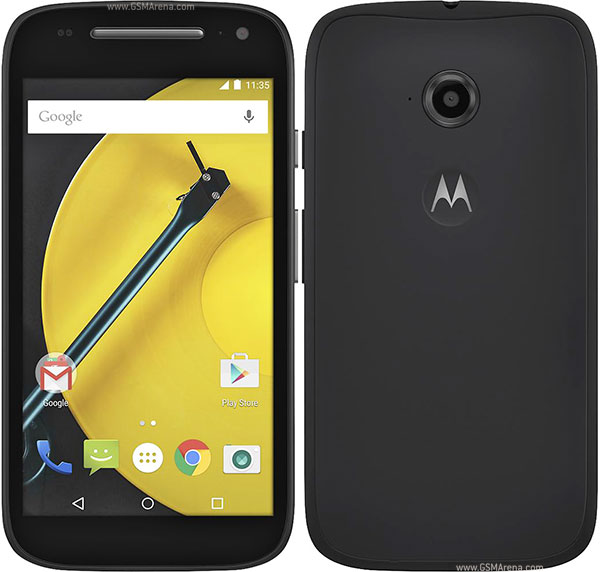
  • Motorola Moto E 2015 4G/LTE (surnia)

    1
    1
    1 Votes
    1 Posts
    2k Views
    No one has replied